Day 17: Giving EchoKit a Voice — Using ElevenLabs TTS | The First 30 Days with EchoKit
Over the past three weeks, we’ve covered almost every core piece of a voice AI agent:
- ASR: turning human speech into text
- LLMs: reasoning, chatting, and tool calling
- System prompts: shaping personality and behavior
- MCP tools: letting EchoKit take real actions
Today, we complete the loop.
It’s time to talk about TTS — Text to Speech.
Without TTS, your agent can think, plan, and decide — but it can’t speak back. And for a voice-first device like EchoKit, that’s a deal breaker.
In Day 17, we’ll start with one of the most popular choices: ElevenLabs TTS.
Why ElevenLabs?
ElevenLabs is widely used because it offers:
- Very natural-sounding voices
- Low latency for real-time conversations
- Multiple languages and accents
- Voice cloning support (we’ll get to that later 😉)
For builders, it’s also simple to integrate and well-documented — which makes it a great first TTS provider for EchoKit.
What EchoKit Needs for ElevenLabs TTS
EchoKit’s ElevenLabs configuration lives in the EchoKit server’s config.toml file.
[tts]
platform = "Elevenlabs"
token = ""
voice = "yj30vwTGJxSHezdAGsv" # The voice I choose here is Jessa
- platform: set to
"Elevenlabs" - token: your ElevenLabs API key. You can generate one from the ElevenLabs Developer Dashboard
- voice: the voice ID you want EchoKit to speak with
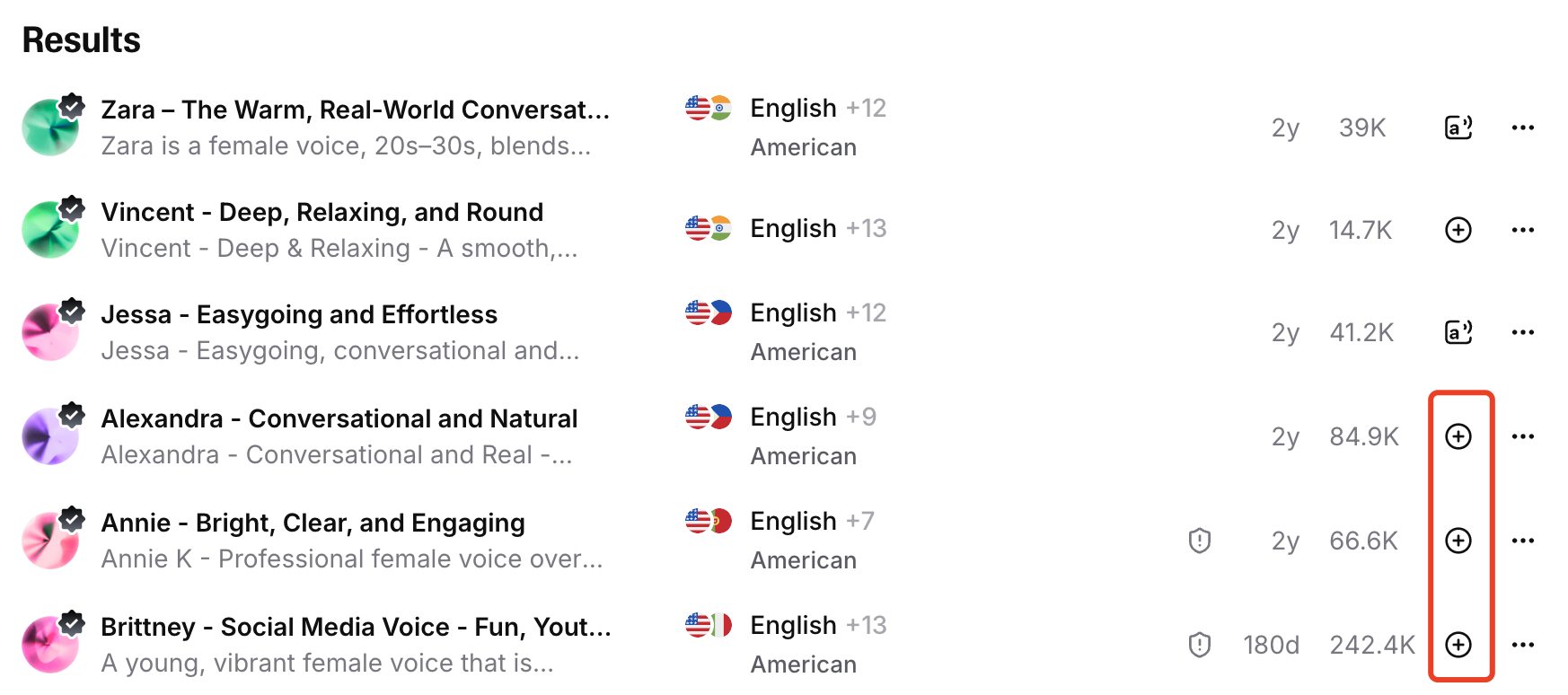
⚠️ Important: If you pick a voice in ElevenLabs, you must add it to “My Voices”. Otherwise, your API key may not be able to call it, even if the voice plays fine in the UI.
That’s it.
model_id is optional in EchoKit’s config and not required for basic TTS.
Restart and Reconnect the Server
After updating the config, restart the EchoKit server, then reconnect the EchoKit device.
When you chat with the device again, you should hear EchoKit speak back — using the voice you selected.
With TTS working, EchoKit finally feels complete as a voice AI companion.
Want to get your own EchoKit device and make it unique?
Join the EchoKit Discord to share your welcome voices and see how others are personalizing their voice AI agents!