Introducing EchoKit Box
A bigger screen. A cleaner design. A more powerful EchoKit.
We’re excited to introduce EchoKit Box, the newest member of the EchoKit family — built for makers, educators, and anyone exploring voice AI Agent.
EchoKit Box keeps everything people love about EchoKit, but elevates the hardware, polish, and usability in every way.
Full-Front 2.4-inch OLED Display
One of the most visible upgrades in EchoKit Box is its large full-front screen.
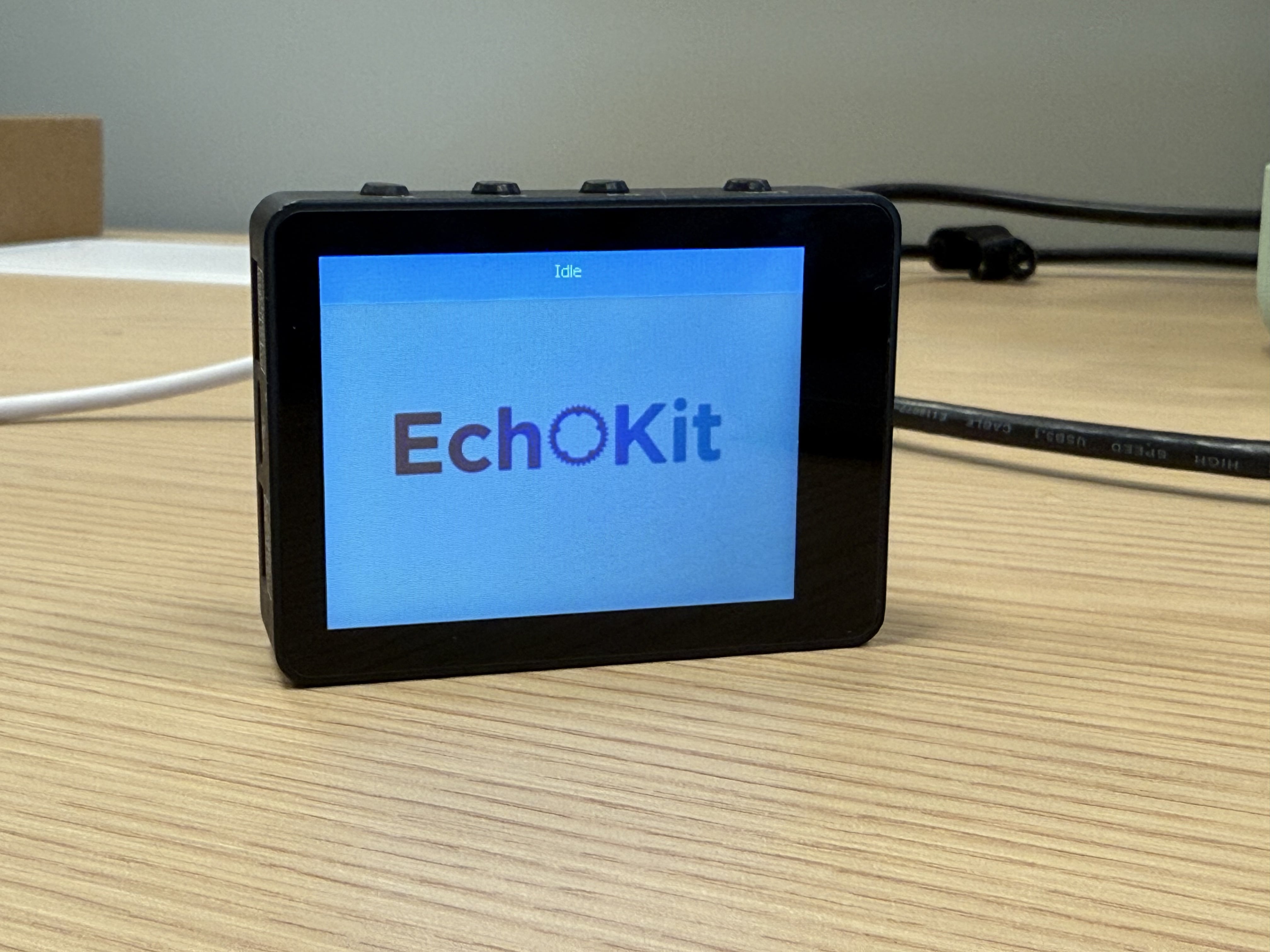 The entire front of the device is a high-contrast 2.4-inch OLED display, perfect for:
- System information
- Voice activity visualization
- Playing videos stored on the TF card
- Displaying graphics and custom UI
- MCP-driven animations
Unlike the previous EchoKit generation, the visual feedback is clearer and more interactive, making this device suitable for both teaching and advanced AI projects.
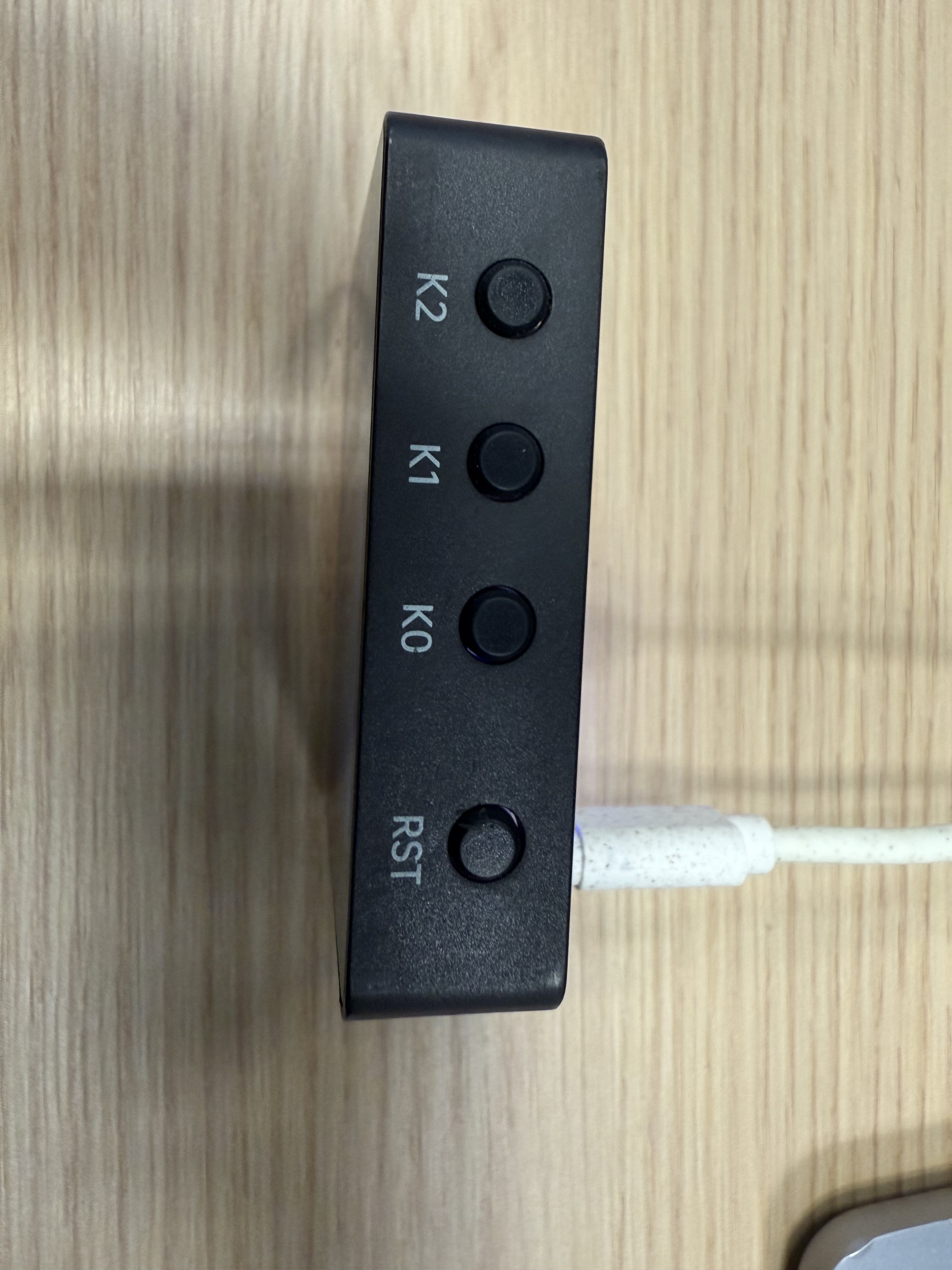
Clearly Labeled Buttons (Including K0 and Reset)
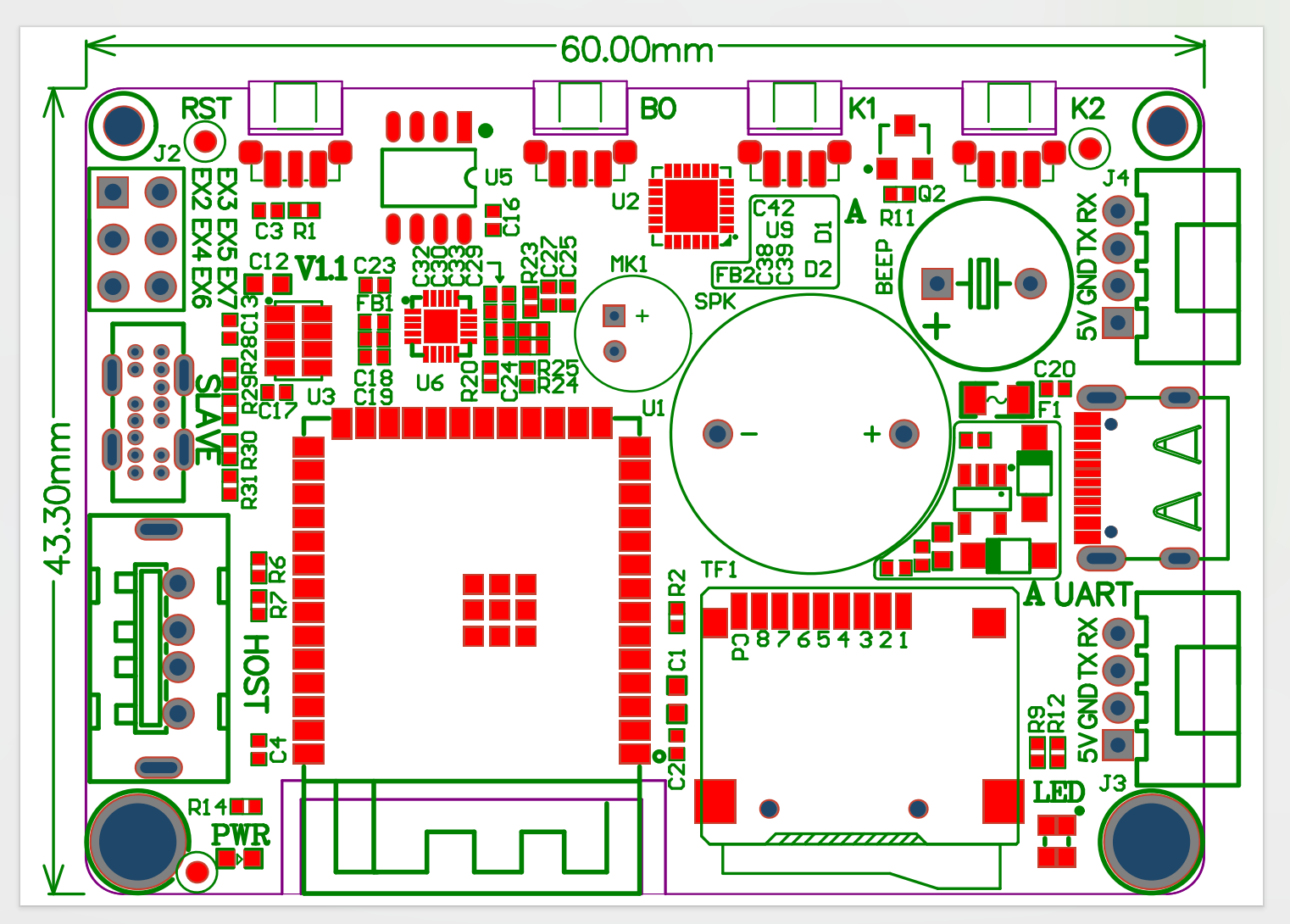
Many users struggled to find the K0 button and reset button on the previous EchoKit DIY model. EchoKit Box solves this by placing integrated, clearly labeled buttons at the top of the device.
Clear hardware labeling = less confusion and faster development.
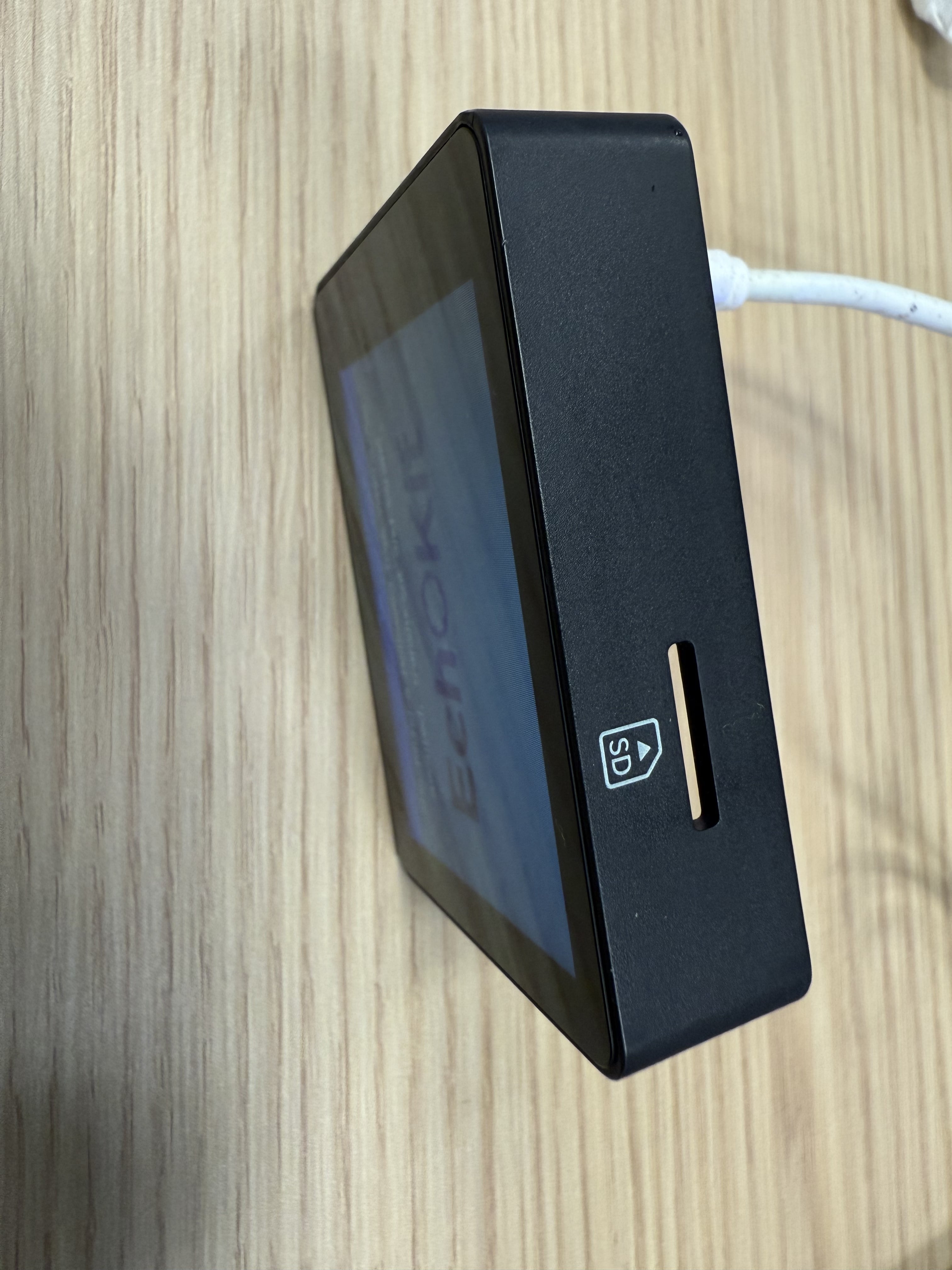
TF Card Slot for Media and Local AI Workflows
At the bottom of the device, you’ll find a TF card slot. You can store:
- Music
- Videos
- Offline content
- Custom datasets
And here’s where the fun begins:
You can ask the large language model to generate MCP actions that play music or video stored on the TF card — directly on the device.
That means you can say: “Play the music on my memory card.” And the device will play it through the speaker.
More Connectors for Additional Modules
On the side of the EchoKit Box, you’ll find two colored connectors (blue and red). These are expansion ports for sensors and modules, such as:
- Temperature sensors
- Cameras
- LED light modules
- GPIO-based sensors
- Custom peripherals
Using MCP actions, the large language model can control these modules:
- “Turn on the camera and take a picture.”
- “Read temperature from the blue port sensor.”
- “Switch on the LEDs.”
EchoKit Box becomes your modular AI platform, not just a single device.
Transparent Back With Visible Electronics
The back of EchoKit Box features a clear, transparent cover, allowing you to see:
- The ESP32 CPU
- PCB and circuitry
- Speaker
- Microphone
- Components such as power regulators and drivers
Makers, students, and hardware enthusiasts love this design because it shows exactly how the AI device works internally.
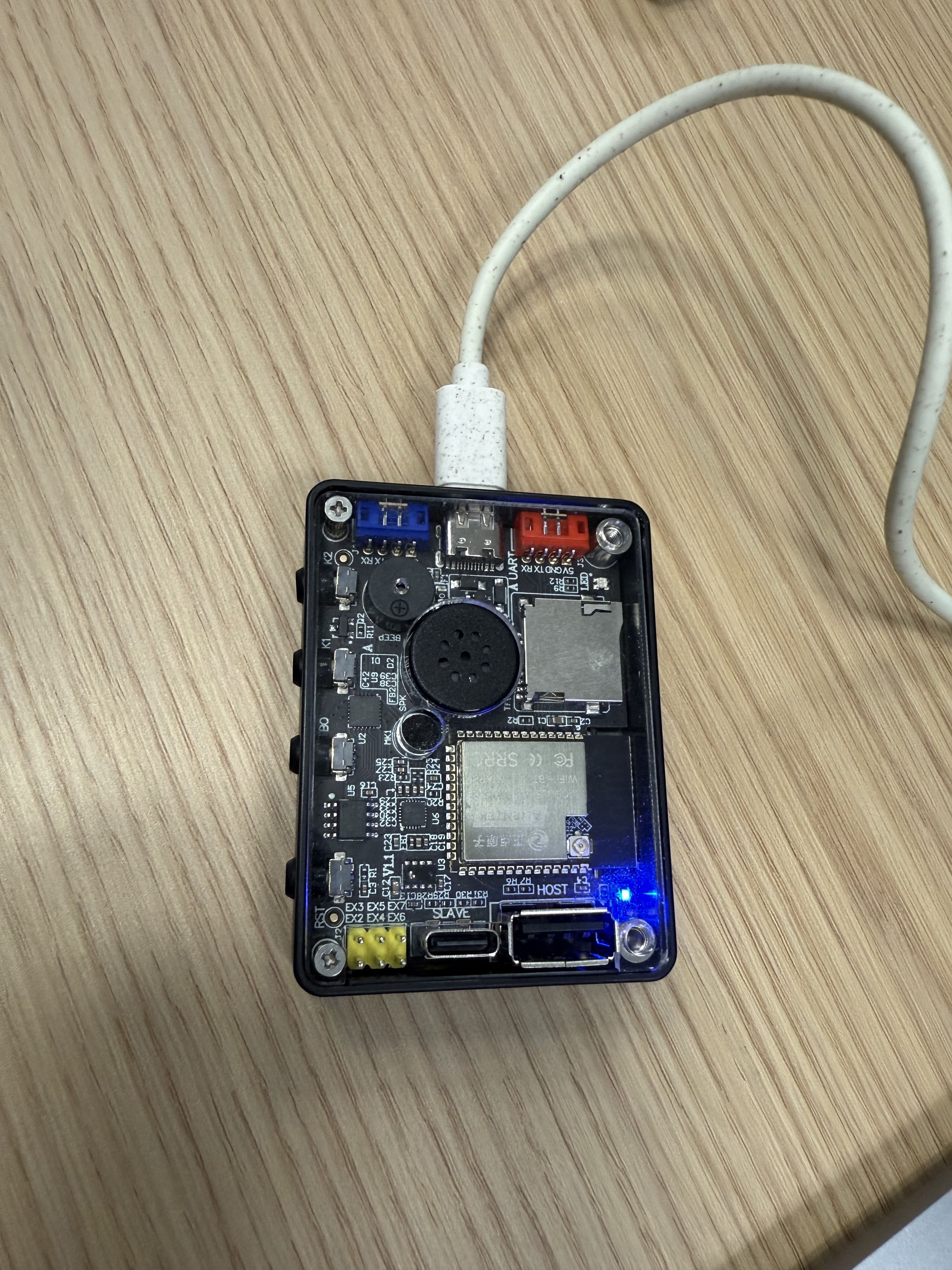
This is especially useful for:
- STEM education
- AI education
- AI Hardware demos
- AI workshops
- DIY repair and customization
- Special gifts for developers
Why We Love the New EchoKit Box
After months of iteration, we truly believe EchoKit Box is the most advanced EchoKit we’ve ever built:
- Bigger 2.4-inch display
- Better enclosure and build quality
- Clear hardware labeling
- TF card slot
- More connectors for sensors and modules
- Transparent back in geek style for education
- Dual USB ports for firmware flashing
- Great speaker/mic setup
- Fully open-source and ESP32 powered
- Works perfectly with local LLMs and MCP actions
It’s a hackable voice AI device that’s also polished enough for demos, classrooms, hackathons, and real projects.
Final Thoughts
We’re really proud of the new EchoKit Box, and we think you’ll love building with it.
Whether you’re experimenting with conversational AI, creating an embedded chatbot, teaching students about LLMs, or building robotics projects with sensors, this device gives you everything you need.
Stay tuned — more updates, tutorials, and expansion modules are coming soon.